Why Sign Your Cover Letter?
The seemingly small act of signing your cover letter can have a significant impact on how your application is perceived. It is a crucial step that often gets overlooked in the job application process, yet it speaks volumes about your professionalism, attention to detail, and respect for the potential employer. Ignoring this step could be a missed opportunity to make a positive first impression and potentially diminish your chances of landing an interview. In today’s competitive job market, every advantage counts, and signing your cover letter is an easy way to make yours stand out.
The Importance of a Signed Cover Letter
A signed cover letter is more than just a formality; it is a statement of your commitment and a subtle reinforcement of your personality. It is a sign that you have taken the time to meticulously prepare your application and that you are genuinely interested in the position. In the digital age, where many interactions are impersonal, a signature can add a human touch, showing that you are a real person, ready to connect and make a meaningful contribution to the company. This simple act differentiates your application from countless others.
Professionalism and Credibility

A signed cover letter underscores your professionalism. It indicates that you are serious about the application and take the necessary steps to present yourself in the best possible light. Employers often look for candidates who pay attention to detail, and a signed cover letter demonstrates precisely that. This small detail can significantly boost your credibility. By taking the time to sign your cover letter, you demonstrate that you value the opportunity and are willing to go the extra mile. This attention to detail can set you apart from other applicants.
Ensuring Authenticity
In a world where digital documents can be easily altered, a signature provides an assurance of authenticity. It is a tangible marker of your endorsement of the document. By signing, you are personally vouching for the accuracy of the information provided and confirming your interest in the role. This act can help build trust and confidence with the hiring manager, reassuring them of your genuine interest and commitment. It is an important step in making a lasting impression.
When to Sign Your Cover Letter
The decision of when and how to sign your cover letter often depends on the format of the application. However, the goal is always to make it clear that you have personally reviewed and approved the document. Whether it is a digital or printed document, the signature acts as a declaration of your personal involvement and support. The method you choose will depend on the specific requirements of the application and the technology at your disposal. It is essential to ensure the signature is clear, legible, and professional.
Digital Cover Letters

For digital cover letters, the methods for signing are primarily electronic, to match the document’s format. In the modern workplace, electronic documents are common, making it necessary to be familiar with the methods for applying digital signatures. Fortunately, several tools and processes can streamline the process. Ensuring the digital signature is secure and compliant with best practices is important. This shows your grasp of the digital workplace and your efforts to ensure that your application is complete and professional.
Printed Cover Letters
Printed cover letters require a physical signature using a pen and ink. In this case, the signature becomes an important part of the physical document. This method is traditional and can add a personal touch to your application. Ensuring the signature is clear, legible, and professional is important. The handwritten signature is a marker of authenticity, underscoring the applicant’s personal investment in the application. This is a demonstration of your attention to detail and commitment.
How to Sign a Digital Cover Letter
Signing a digital cover letter can be done using electronic signatures or by inserting a scanned image of your handwritten signature. Electronic signatures offer a straightforward method that can be completed quickly using a digital pen or mouse. These are widely accepted and legally binding, making it an efficient option. On the other hand, inserting a scanned signature gives a more personal look. Both options convey your intent and ensure your application meets professional standards. Carefully review these options to find the one that suits your needs.
Using an Electronic Signature

Electronic signatures are a modern, efficient way to sign digital documents. Many word processing programs like Microsoft Word and Google Docs allow you to insert electronic signatures directly into the document. You can typically create an electronic signature by drawing it with your mouse, using a stylus on a touchscreen device, or uploading an image of your signature. When using an electronic signature, ensure it appears professional and is placed in the appropriate location, typically just above your typed name at the end of the cover letter. This method is widely accepted and easy to implement.
Scanning a Handwritten Signature
If you prefer a more personal touch, you can scan your handwritten signature and insert it into your digital cover letter. To do this, sign your name on a clean sheet of paper, scan the signature at a high resolution, and save the image as a PNG or JPG file. Then, insert the image into your cover letter in the signature block area. Make sure the scanned image is clear, legible, and professionally presented. This method maintains a handwritten feel while adapting to the digital format. Always check that your signature looks neat and professional after scanning.
How to Sign a Printed Cover Letter
Signing a printed cover letter is a straightforward process that involves using a pen and ink. This method provides a tangible sign of your commitment to the application. Ensure you have a high-quality pen and that your signature is clear and legible. When preparing the cover letter for mailing or hand-delivery, make sure your pen is working properly and that you have a steady hand. The signature block should be formatted correctly, leaving adequate space for your signature and your typed name. This can make a great impression on the recipient.
Using a Pen and Ink

When signing a printed cover letter, use a professional pen that writes smoothly and doesn’t smudge. Avoid using gel pens, as the ink can sometimes bleed through the paper. Choose a pen with dark ink, such as black or dark blue, to ensure your signature is easy to read. Place your signature just above your typed name at the bottom of the letter. Taking care with the quality of the pen and the neatness of your signature reflects your commitment to the application and creates a polished look. Make sure your signature doesn’t obscure any other important information.
Common Cover Letter Signing Mistakes
While signing a cover letter is important, some mistakes can diminish its impact. Avoiding common pitfalls, such as missing the signature, using an informal closing, and signing with the wrong name, is essential. These errors can suggest a lack of attention to detail and could negatively affect your application. Before submitting your cover letter, carefully review it to make sure you have avoided these common mistakes. By taking the time to address these details, you demonstrate a professional approach.
Missing the Signature
The most basic mistake is forgetting to sign your cover letter. This omission suggests carelessness or a lack of attention to detail. Always double-check your cover letter before submitting it to ensure your signature is present, whether it is a digital or physical document. Missing the signature can easily be seen as unprofessional and may lead to your application being overlooked. Proofread your document carefully to avoid making this mistake.
Using an Informal Closing

While a signature is important, the closing should also be professional. Avoid using casual closings, like “Best” or “Cheers”, which may be too informal for a job application. Instead, opt for closings such as “Sincerely,” “Respectfully,” or “Best regards.” The closing should set a tone that is professional and appropriate for a job application. It sets up the signature block and the typed name. Make sure to choose a closing that aligns with the tone of your letter and shows your respect for the recipient.
Signing with the Wrong Name
Make sure you sign your cover letter with your full legal name, or with the name you are commonly known by and which matches the name on your resume. Using the wrong name, such as a nickname or an incorrect version of your name, can create confusion and detract from the professionalism of your application. Always use your full name and consider including any professional titles you have. Always make sure your name is consistent across all application documents. This helps the hiring manager to connect all the pieces of your application.
Cover Letter Signing Best Practices
To ensure your cover letter makes a positive impression, follow these best practices. They involve choosing the right closing, formatting your signature block appropriately, and proofreading your cover letter thoroughly. Adhering to these practices ensures that your cover letter is polished, professional, and tailored to the job. Paying attention to these details significantly increases the effectiveness of your cover letter and increases your chances of success.
Choosing the Right Closing

Your closing should reflect the tone of your cover letter and suit the job and company. Professional closings, such as “Sincerely”, “Respectfully”, or “Best Regards”, are generally recommended. Avoid overly casual or informal closings, such as “Cheers” or “Thanks”, unless you have a pre-existing relationship with the hiring manager and the company culture supports it. The closing is also an important part of your signature block. It sets the stage for your signature and typed name, so select it carefully.
Formatting Your Signature Block
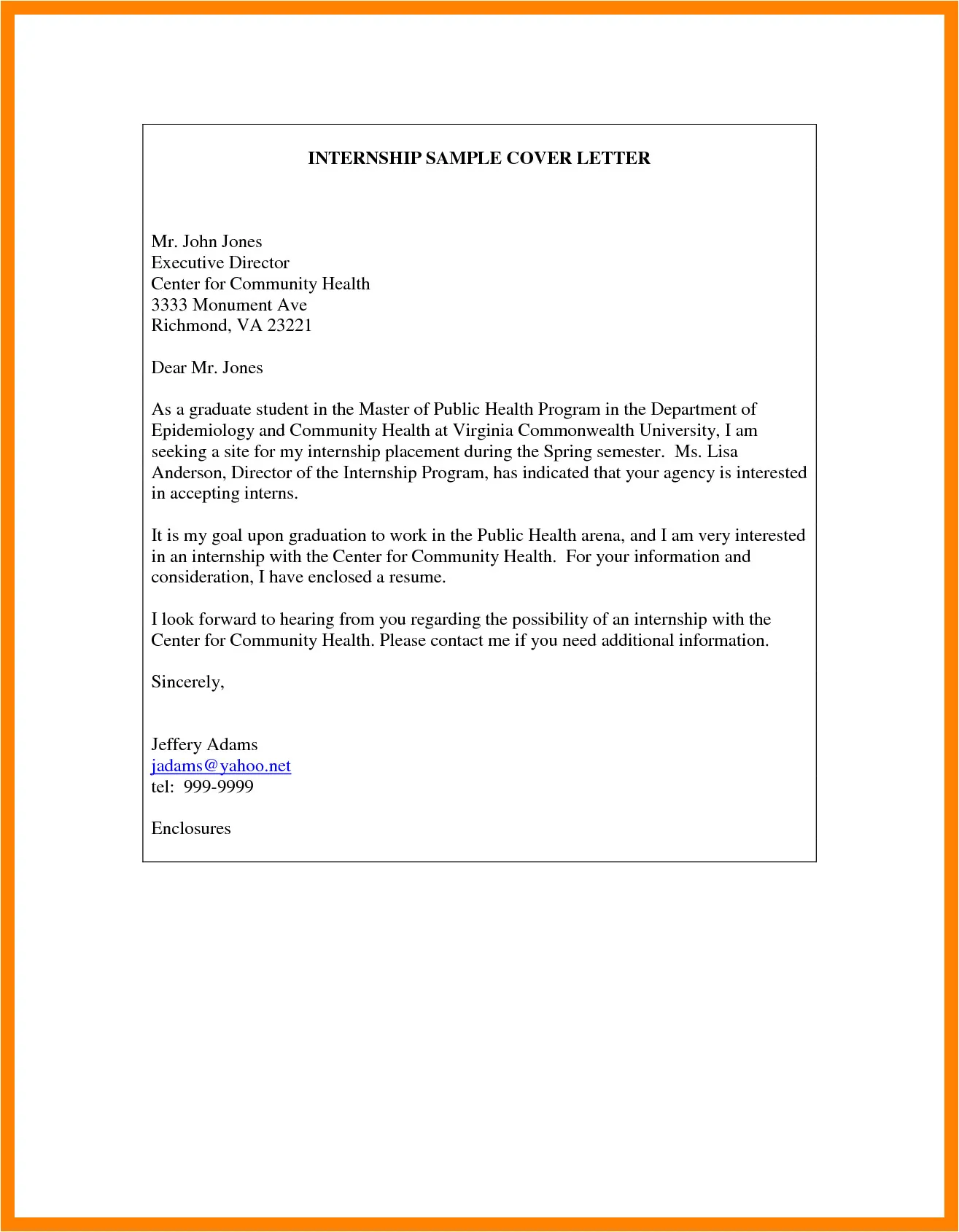
Your signature block typically includes your closing, your signature, and your typed name. Place the closing one line above your signature. Leave space for your handwritten or electronic signature. Below this, type your full name. Ensure the format is clean and easy to read. Align your signature block to the left or right, or center it, based on the layout of your letter. The format should be consistent with the overall style of your cover letter. It demonstrates attention to detail.
Proofreading Your Cover Letter
Before submitting your cover letter, carefully proofread it for any errors. This includes checking for typos, grammatical errors, and formatting inconsistencies. Make sure all your information is correct, your contact details are accurate, and the content is well-written and persuasive. This is especially important before you sign the document; it reflects your professional approach. Proofreading is a vital step to avoid making common mistakes and to ensure your cover letter puts you in the best possible light. A flawless cover letter shows that you are detail-oriented and committed to excellence.
Conclusion
Signing your cover letter is more than just a formality; it is an integral part of a professional job application. It adds a personal touch, shows attention to detail, and vouches for the authenticity of your application. By following the guidelines above, you can make a strong impression and set yourself apart from the competition. In today’s job market, making a positive impression at every step of the application process can be the difference in securing the interview and eventually, the job. Ensure that you present a polished and professional application that reflects your genuine interest in the position and your commitment to excellence.